Know where to look
Find the affected unit and review its activity before contacting the customer or investigating.

Bearbox Portal
See live door and alarm status, manage access and help customers remotely. Bearbox Portal works on your phone and desktop.
A customer calls from the entrance. A unit door is open. You’re looking after another site. Bearbox Portal gives your team the status and controls to understand the situation and take the next step.
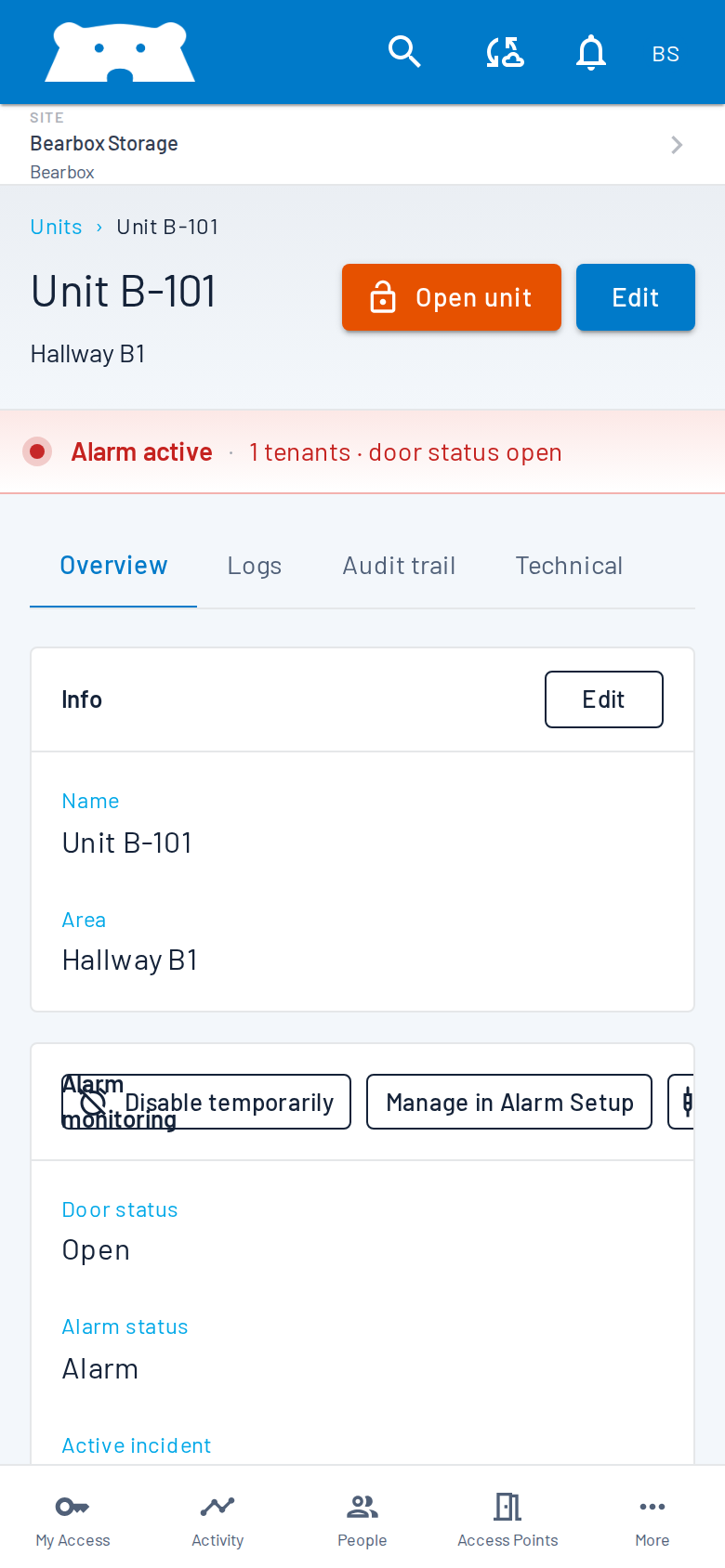
Portal shows door and alarm status together, with live updates on a connected site. Check whether an open door belongs to a normal customer visit or an alarm that needs investigation.
Find the affected unit and review its activity before contacting the customer or investigating.
Door contacts and PIR sensors report different activity. Add the monitoring you need, with automatic locks as a separate option.
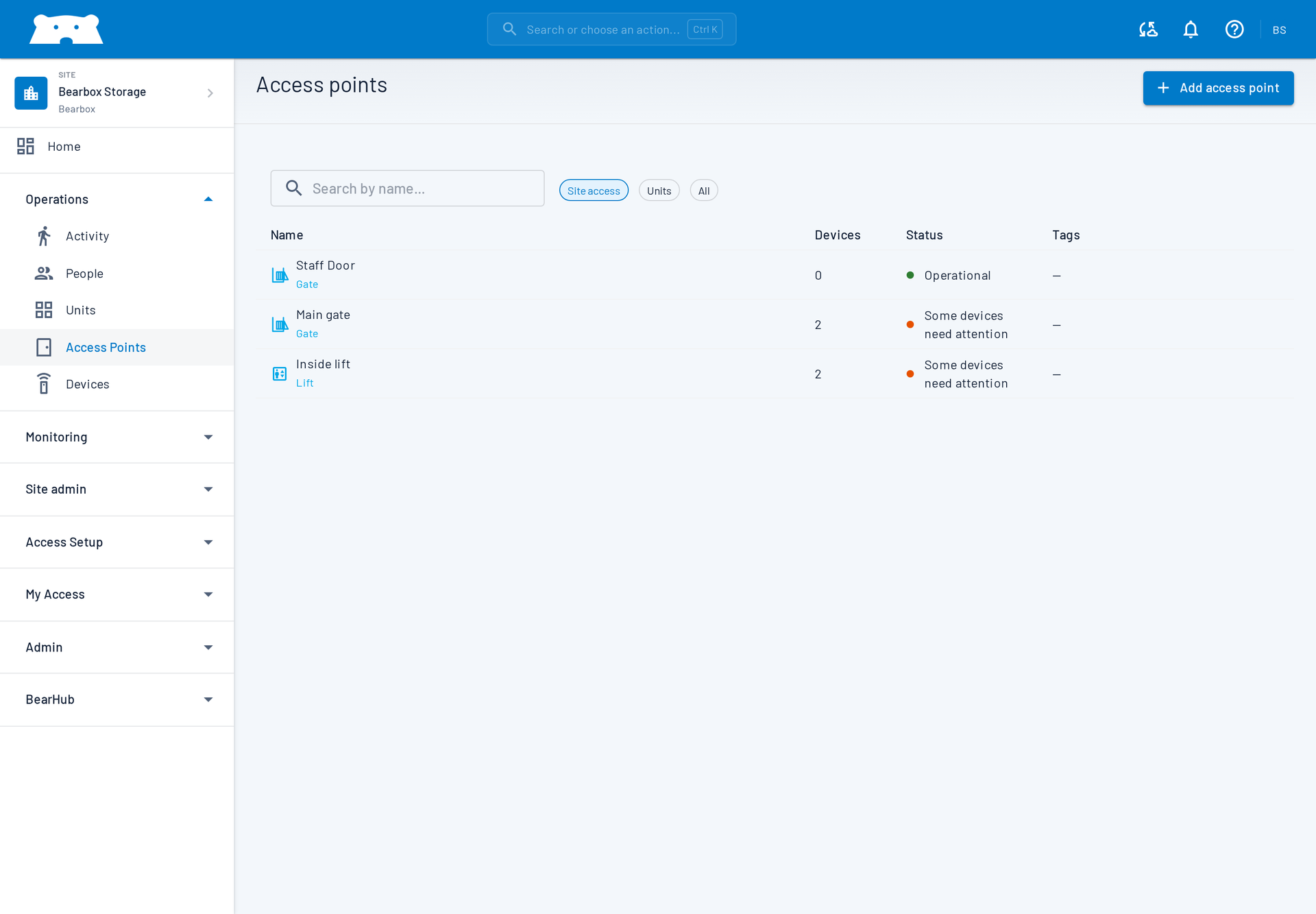
Check the customer’s access and use your permitted remote door or gate controls. Staff can use the Doors and gates screen on their phone while away from their desk.
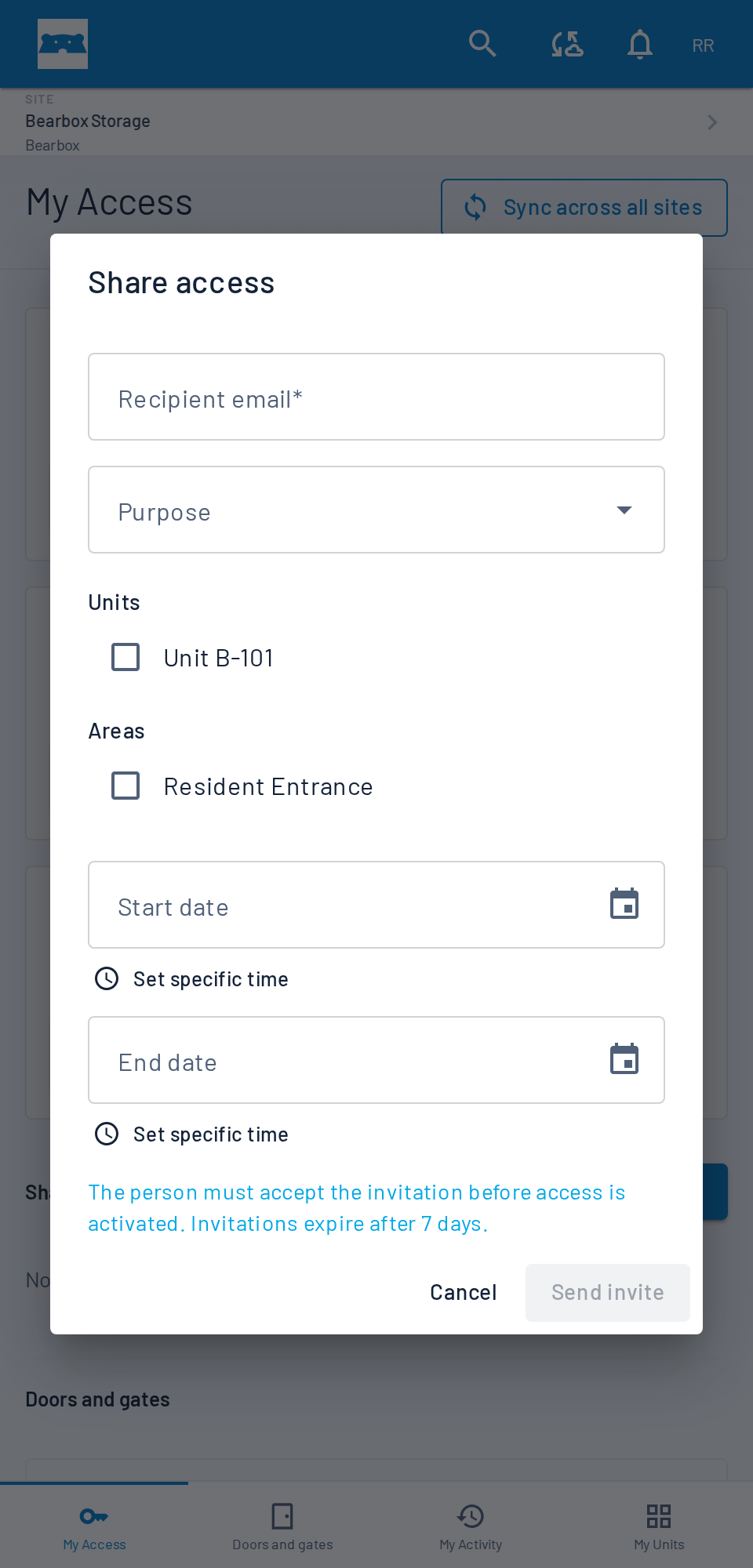
With sharing enabled, customers can invite colleagues or family members with their own profiles and credentials. Access records identify those credentials, giving your team a way to review each person’s access.
Customers use the same login and credentials across sites, with permissions for each one. Your team manages one person instead of creating a separate identity at every site.
Customers keep their login as they move between sites. Their permissions still determine which entrances and areas they can use.
Review access activity against the credentials used, including customers invited to share access.
Move between the sites your team can access to review activity and manage permissions. Set each person’s areas and access hours, and give staff the actions they need for their role.
Choose what each team member can see and do at each site, down to individual actions. Match their permissions to their responsibilities.
Staff manage the site in Portal. Customers see the doors and gates they can use on their phone. Give the customer screens your logo and colours, or use Bearbox branding.
Open Bearbox in a browser and add it to the home screen for easier return visits. Customers and staff can get started without an app-store download.
Practical answers for planning your site.
Yes. Review activity and status, manage permissions and use remote controls across the sites your team can access. Staff permissions determine what each person can see and do.
No. Monitoring and automatic locks are separate options. Door contacts report openings and closings; PIR sensors detect movement inside and outside units. Choose the areas to monitor and the doors to control.
Live remote status, management and phone openings need connectivity. Installed keypads and readers can keep working locally using access permissions already held on site. Plan the access methods and customer help you need during an outage.
Bring a task you handle often, such as helping someone at the gate or checking an open unit. We’ll show how it works on phone and desktop.